12 reasons to love ios 11
I’m sure everyone’s itching to update the latest software update released by Apple, the iOS 11!
Are you still hesitating? Well. Let this article help you decide.
It took me 15 minutes to download the software, correct me if I’m wrong the software is around 1.9gb. For the installation time, my iphone (6splus 64gb) took 10-12 minutes. It was a bit hot when I touched it.
So, let’s proceed to what’s new.
1. HOME
As you can see, there are some various changes esp. with the font type! What captured my eyes first was the new icon. “Files“ A lot of people said iOS 11 is beginning to look like android because of this folder. I also think so, but Apple will always be Apple so it’s not big deal for me.
So, if you are wondering what inside the Files folder then let me tap it for you so you can see.
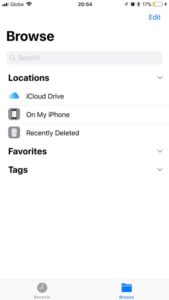
Here it is! Honestly, I really don’t know yet how to use this yet but yeah! Just wanna show you. LOL!
2. NOTIFICATION CENTER
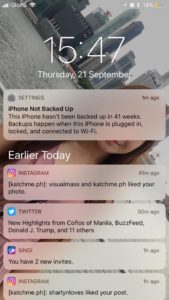
Well, this is one of my favourite features of the latest update. If you swipe down, instead of seeing the plain and boring notif center, in iOS 11 this is what you see. Your notifs with your lock screen wallpaper on the background! It’s really cute. but, others find it annoying tho. What do you think?
3. MESSAGING


4. CONTROL CENTER

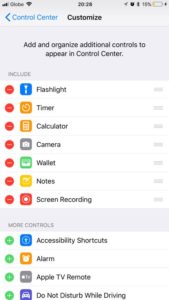
- All you need to do is go to Settings > Control Center> Customize Controls> Tap those control that you want in include in your Control Center
5. SCREEN RECORDING
Yass! You read it right. Finally, our iPhones can now record our screens! Can’t you believe? Check out below.
Can’t believe? Try it yourself, How? Make sure you enable Screen Recording on your Control Center (Read number 5) Swipe up and click that icon there to start recording. To stop recording just tap the red line thingy at the top.
6. FROM BOXES TO CIRCLES
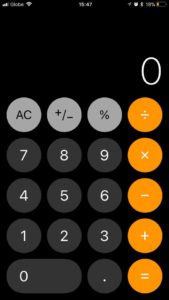
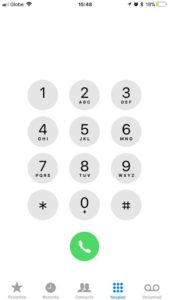
The calculator & keypad look like this now! The shapes are round instead of squares if you remember iOS 10.
7. EDIT YOUR SCREENSHOT
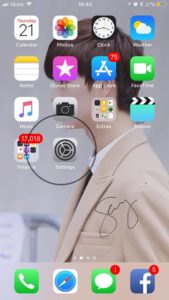
You can now edit the photo right after capturing your screen! You can magnify them or doodle on it. Add your signature too!

8. FILTERS
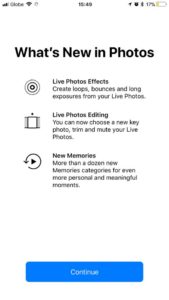
Yey! More filters. You can also add filters on your selfie. For now, I’ll just show my SungJae’s photo! LOL.

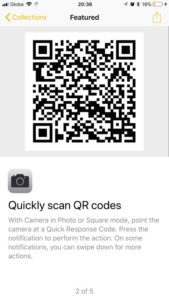
9. QR CODE
Yes, with our camera app and not a third party app. We can use it to scan QR codes 🙂
10. SIRI IS MULTILINGUAL
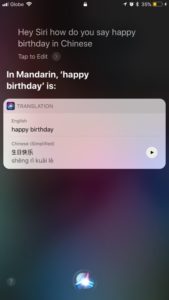
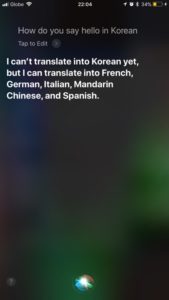
You can simply call Siri and ask her to translate sentences. Sadly, for now, she can only translate to French, German, Italian, Mandarin Chinese and Spanish.
Huhu, no Korean & Japanese yet 🙁 Maybe Siri is still learning more languages so okay, we’ll just patiently wait what’s the next language you can speak.
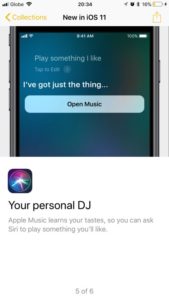
Aside from being smart, Siri can play with you. She can guess songs
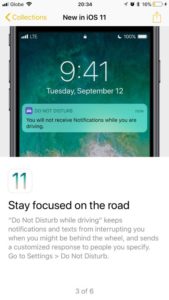
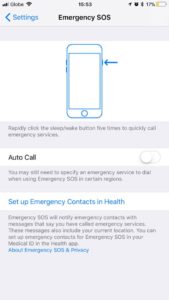
11. iOS 11 WANTS YOU TO BE SAFE
So, here are the two apps that I discovered.
If you enable your driving mode, you will not receive notifications. That means you will be focus on driving, no distractions. No distractions equals to safe driving (uyou’res your drunk or your wife is nagging beside you) ! The second feature is the Emergency SOS.
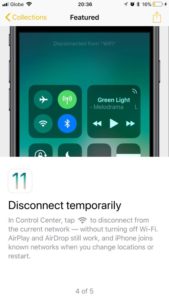
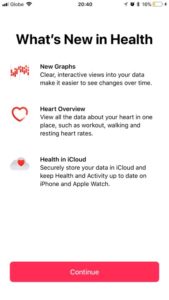
12. MORE OPTIONS

Quick Feedbacks:
-My battery got better
– A little longer charging time
– Lags sometimes (maybe it’s still adjusting to the new OS if there is such thing! LOL)
– Some doesn’t want to update because it doesn’t feel like iPhone anymore, feels more like android
– Some users updated only because of the screen recording which is really amazing (even if it’s available to Android devices for ages now)
– There’s so much to discover. It’s just my 1st day today!
Have you updated? How is it? Do you like the new update? Are you experiencing bugs or errors?
If there are other amazing features of iOS 11 that I haven’t included in the list, you may let me know.